# Cookiebot
### Installation
1\. Auf [https://manage.cookiebot.com/de/signup](https://manage.cookiebot.com/de/signup) ein Konto erstellen
2\. Domain eintragen
[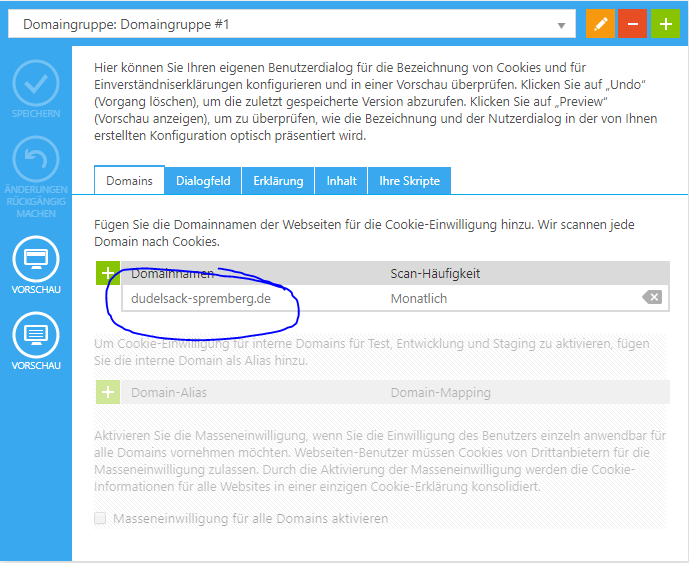](https://wiki.dako-it.com/uploads/images/gallery/2022-09/qyximage.png)
3\. Seite Scannen und speichern
[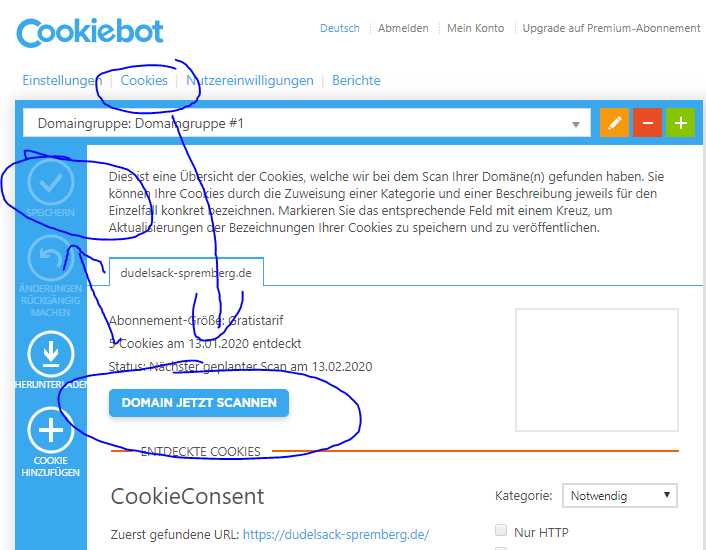](https://wiki.dako-it.com/uploads/images/gallery/2022-09/AJ2image.png)
4\. Token im CMS unter Admin -> SEO -> Cookiebot-Token eintragen
[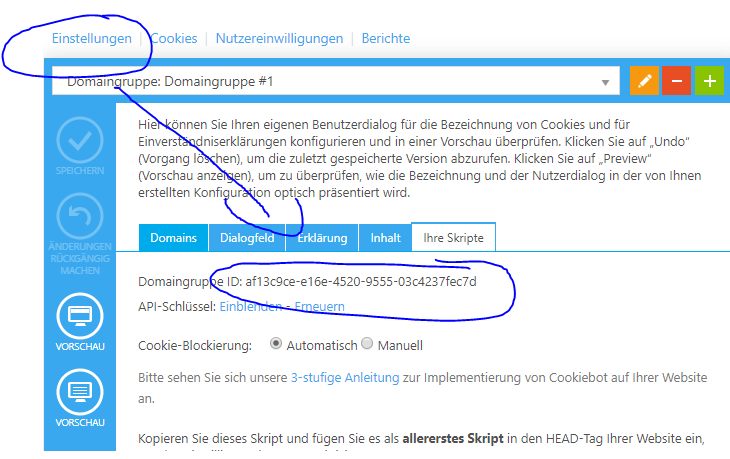](https://wiki.dako-it.com/uploads/images/gallery/2022-09/nIeimage.png)
[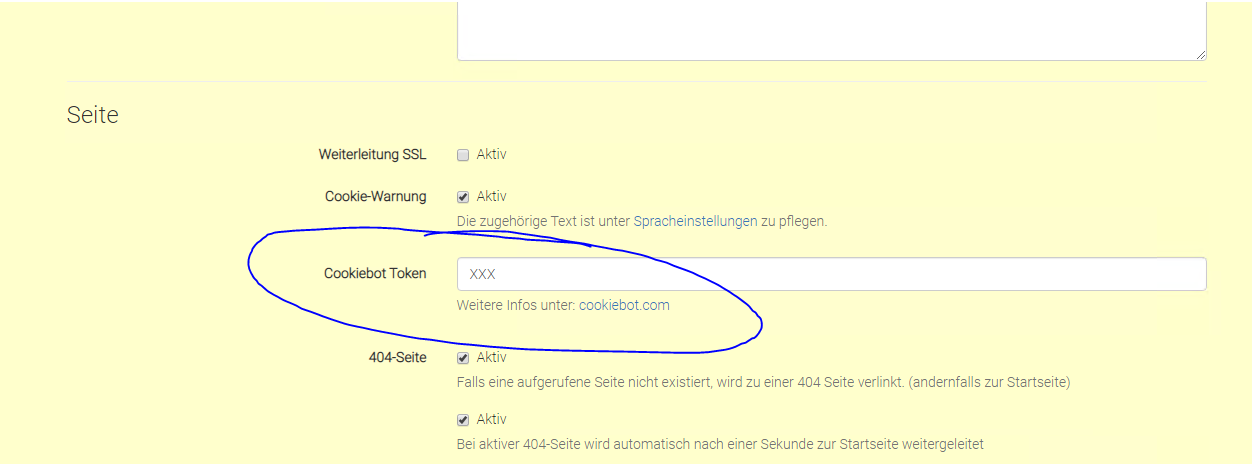](https://wiki.dako-it.com/uploads/images/gallery/2022-09/Uweimage.png)
### Nachträgliche Installation, falls kein Master-Update möglich ist
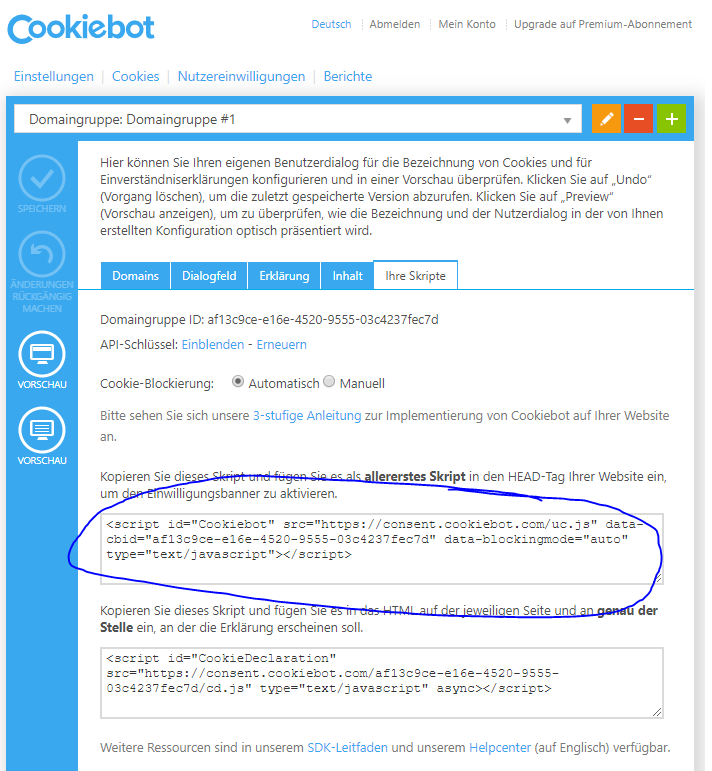
1\. Script in kdsp-index-head.php eintragen
[](https://wiki.dako-it.com/uploads/images/gallery/2022-09/OmYimage.png)
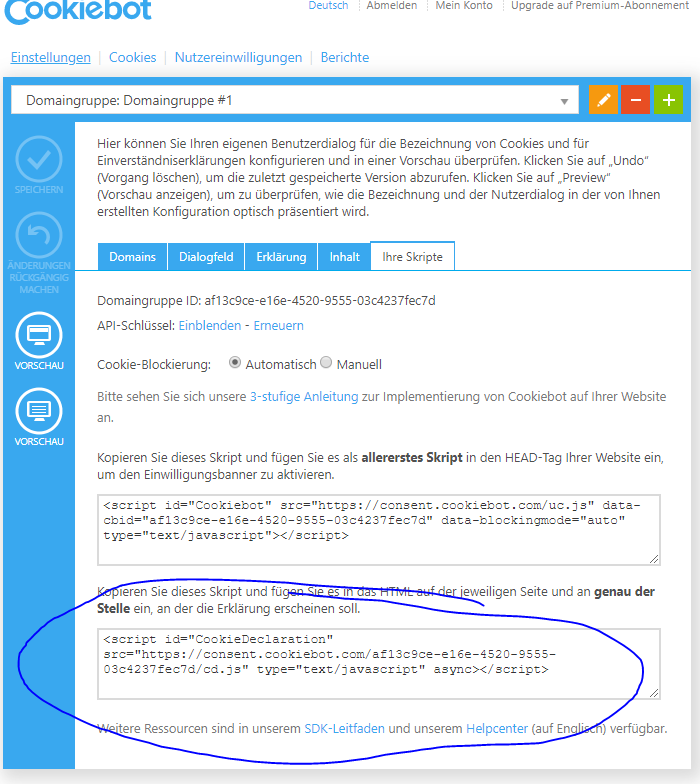
2\. Script in main.html über den Footer eintragen
[](https://wiki.dako-it.com/uploads/images/gallery/2022-09/CRLimage.png)
3\. In kdsp\_zusatz.js Code einfügen:
```
app.run(function($rootScope){
$rootScope.Cookiebot = Cookiebot.consent;
});
```
### Funktionsweise
- Cookies welche durch Scripts in den kdsp\_head.php und kdsp-body.php ausgelöst werden. (z.B. FB-Pixel, Analytics, ...), werden automatisch erkannt.
- Leider ist dies nicht der Fall, wenn Cookies dynamisch erzeugt werden. Zum Beispiel durch You-Tube-Videos in Portalen oder Google-Karten auf Unterseiten. Hierzu ist eine Sonderanpassung notwendig.
### Sonderanpassung für dynamisch erzeuge Cookies
```
Um das Video sehen zu können, erneuere bitte die Cookie-Einstellungen hier: KLICK