# Übertragung
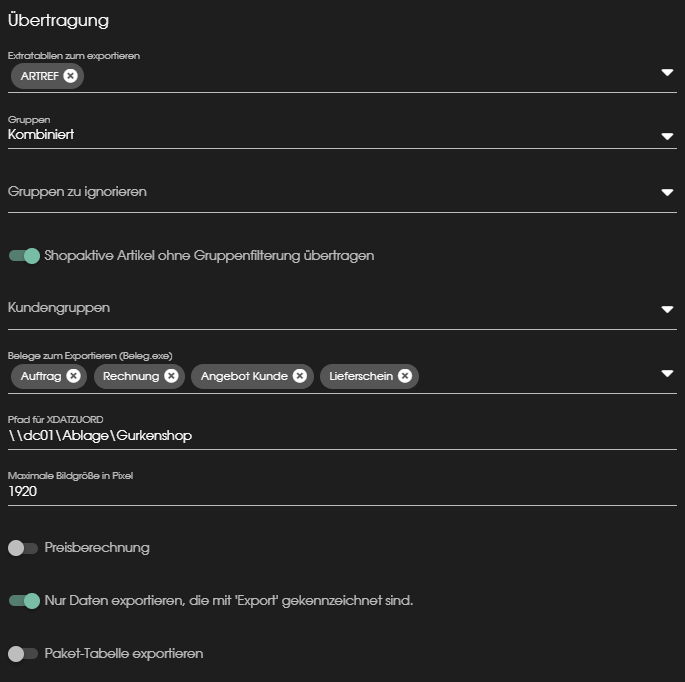
#### **Extratabellen zum exportieren:**
Unter dieser Einstellung kann man die verschiedenen Extratabellen aus der SelectLine auswählen, die mit übertragen werden sollen.
[](https://wiki.dako-it.com/uploads/images/gallery/2022-09/9NTimage.png)
#### **Gruppen:**
[](https://wiki.dako-it.com/uploads/images/gallery/2022-09/PeMimage.png)
#### **Gruppen zu ignorieren:**
[](https://wiki.dako-it.com/uploads/images/gallery/2022-09/gvEimage.png)
#### **Shopaktive Artikel ohne Gruppenfilterung übertragen:**
[](https://wiki.dako-it.com/uploads/images/gallery/2022-09/HtXimage.png)
#### **Kundengruppen:**
[](https://wiki.dako-it.com/uploads/images/gallery/2022-09/OWsimage.png)
#### **Belege zum Exportieren (Beleg.exe):**
Unter diesem Punkt kann man Belege auswählen, die von der SelectLine in den FINN.webshop übertragen werden sollen.
[](https://wiki.dako-it.com/uploads/images/gallery/2022-09/malimage.png)
#### **Pfad für XDATZUORD:**
Hier kann der Pfand zur XDATZUORD hinterlegt werden.
[](https://wiki.dako-it.com/uploads/images/gallery/2022-09/O4kimage.png)
#### **Maximale Bildgröße in Pixel:**
Hier lässt sich die Maximale BIldgröße in Pixel angeben.
[](https://wiki.dako-it.com/uploads/images/gallery/2022-09/kzVimage.png)
#### **Preisberechnung:**
[](https://wiki.dako-it.com/uploads/images/gallery/2022-09/nNgimage.png)
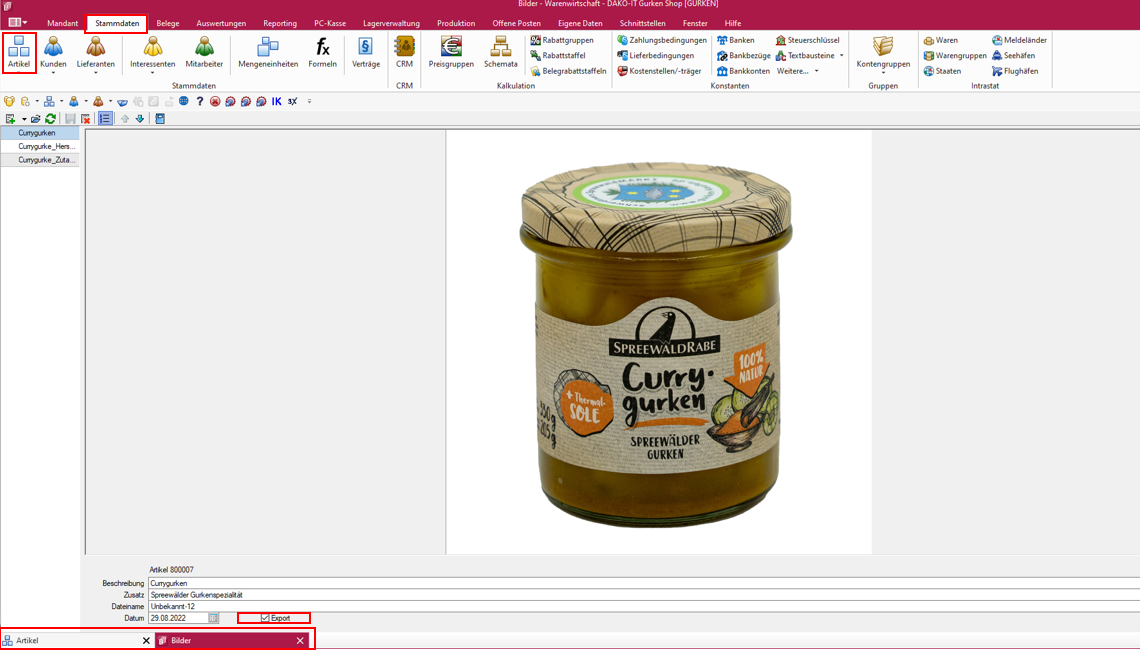
#### **Nur Daten exportieren, die mit "Export" gekennzeichnet sind:**
Durch einschalten dieses Schalters werden nur Daten exportiert, bei denen der Haken im Feld "Export" gesetzt wurde.
[](https://wiki.dako-it.com/uploads/images/gallery/2022-09/OKOimage.png)
Diesen Exporthaken kann man z.B. bei den Artikelbildern setzten.
[](https://wiki.dako-it.com/uploads/images/gallery/2022-09/1iGimage.png)
#### **Paket-Tabelle exportieren:**
[](https://wiki.dako-it.com/uploads/images/gallery/2022-09/Sjlimage.png)
[](https://wiki.dako-it.com/uploads/images/gallery/2022-09/xToimage.png)